


How to choose a mouse
Find the right mouse to get the job done comfortably
All mouses are designed to control computer screens
But some may give you a comfort edge
Using an unsuitable mouse may lead to
Muscle discomfort or pain
Pressure or strain to joints, ligaments or nerves
Acute or chronic arm, wrist or hand injuries
Treatment and rehabilitation costs
Reduced productivity
Get the right mouse to fit you and the way you work
1
Do any movements cause discomfort when mousing?
Grasping or holding
Clicking or scrolling
Shoulder reaching
Wrist movement
Then these designs may be worth trying
Vertical
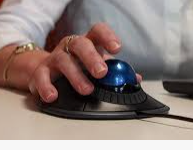
Trackball
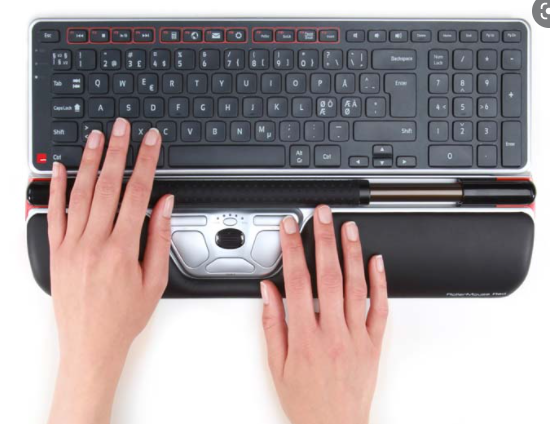
Roller bar
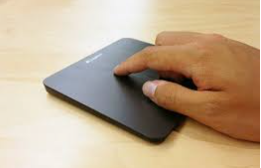
Touchpad
Get the right mouse to fit you and the way you work
2
Consider some design pro’s and con’s for your situation

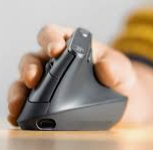
Vertical
Maintains forearm in a neutral, less strained posture
+ May reduce strain to wrist and muscles used to click and scroll + Sizes available may encourage a more relaxed grip - Limited left handed or ambidextrous options - Non traditional design requires adjustment

Vertical
Maintains forearm in a neutral, less strained posture

Vertical
Maintains forearm in a neutral, less strained posture
+ May reduce strain to wrist and muscles used to click and scroll + Sizes available may encourage a more relaxed grip - Limited left handed or ambidextrous options - Non traditional design requires adjustment

Vertical
Maintains forearm in a neutral, less strained posture
3
Other solutions can also increase comfort when mousing
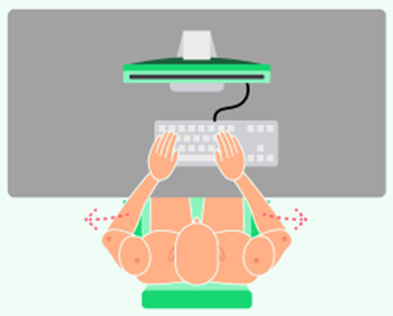
No number pad
Shortens the keyboard width and reduces shoulder overreach to the mouse which may reduce discomfort. Detachable number pads are available.
Swivel click
Software that clicks for you. Reducing repetitive click force may reduce forearm, wrist or hand strain and discomfort.
Mouse settings
Increase scroll speed to reduce repetitive movements. Increase cursor speed to reduce repetitive overreaching.
And tilt positions
Alternate hands
Switch mouse use between both hands to reduce repetitive movements and forces and risk of musculoskeletal strain
Keyboard shortcuts
Keystroke commands can be used to perform some mouse functions, reducing mouse use. Search online for suggested options or program your own
Micro breaks
Take frequent short breaks between keying and mousing every 5-10 minutes to relax muscles and improve frequent recovery.
Invest in the right equipment to maintain productivity and promote long term comfort and health
Get set up with Swivel
Having the right equipment is only half the solution, it must be correctly adjusted to fit your body to maximise comfort and reduce risk of injury.
Commonly considered questions
Which is the best mouse?
There’s likely many that will suit you, just ensure it is an ergonomically designed with the listed features to fit you and the way you work. Perhaps trial a few to find out.
Should I use an ‘ergonomic’ mouse?
Ergonomics describes the ability to fit a mouse to the user with the aim of being more comfortable and productive. So yes! Find a mouse that encourages you to work with your hands and arms in a more neutral posture and helps to reduce repetitive movements and overreaching.